iPad Calligraphy Brushes for Procreate: A Practical Toolkit for Digital Lettering
More Than Just Brushes: A Complete Lettering System
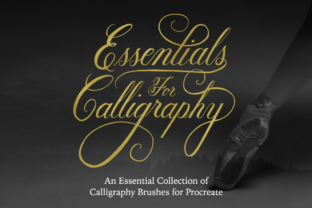
When you open a new set of digital tools, you’re not just installing files; you’re unlocking potential. This particular collection of iPad Calligraphy Brushes for Procreate is designed as a practical system for anyone serious about digital lettering. It’s a curated set of assets that moves beyond the generic, offering distinct personalities for your script. The core offering includes five popular calligraphy style brushes, each with a specific purpose. You get the formal elegance of a Copperplate/Formal Script, the relaxed vibe of a Modern/Casual Script, the fluid motion of a Brush Script Smooth, the organic feel of a Brush Script Textured, and the clean precision of a Monoline Brush. This isn’t a sprawling library you’ll never use; it’s a focused toolkit for real work.
The true value, however, lies in the included guideline brushes. These aren’t just simple lines; they are nine specialized guides at various angles and x-heights. This turns your iPad into a guided lettering practice studio or a precision layout tool. Whether you need a steep 55-degree slant for traditional formal script or a straight divided guide for sans serif lettering practice, the structure is built right in. This combination of expressive brushes and structural guides makes it a standout creative font asset for building skills and creating polished work.
Finding the Right Style for Your Project
Choosing the right brush from this set is about matching personality to purpose. The Copperplate/Formal Script is your go-to for projects demanding sophistication and tradition. Think wedding invitations, luxury brand logos, or elegant editorial headers. Its pressure-sensitive strokes allow for classic thick-to-thin transitions that convey a sense of heritage and premium quality. In contrast, the Modern/Casual Script brings a friendly, approachable energy. It’s perfect for blog titles, social media graphics for lifestyle brands, or product packaging that wants to feel handmade and relatable.
The two Brush Script options offer a direct choice in texture. The Brush Script Smooth delivers clean edges, ideal for logo design where clarity is paramount, or for digital invitations that will be viewed on screen. Its fluidity captures the essence of live brush lettering without the mess. The Brush Script Textured adds a gritty, ink-on-paper finish. This is excellent for adding depth to poster designs, creating authentic-looking merchandise mockups, or giving a vintage feel to social media content. Finally, the Monoline Brush is the workhorse. With its even stroke thickness, it’s perfect for creating consistent text blocks, clean annotations, or minimalist design elements. It’s the unsung hero of this typeface collection, ensuring your work maintains professional readability.
Practical Applications Across Creative Fields
For entrepreneurs and small business owners, this toolkit directly impacts brand identity. A carefully chosen script from the iPad Calligraphy Brushes for Procreate can become the cornerstone of a logo design, setting a brand apart from competitors using overused fonts. The ability to create custom lettering ensures your brand’s voice is unique and ownable. Marketers and content creators will find immense value in generating eye-catching social media graphics. A bouncy modern script on an Instagram story or a textured brush script on a Pinterest pin can dramatically increase engagement by breaking the monotony of standard typefaces.
In publishing and editorial design, these brushes offer a way to add a personal, handcrafted touch to book covers, chapter headings, or magazine features. The formal script can elevate a literary journal, while the casual script can make a cookbook feel more intimate. For crafters and hobbyists, the applications are equally broad—from designing personalized greeting cards and scrapbook elements to creating custom quotes for wall art. The key is that this isn’t a static display font; it’s a dynamic set of tools that responds to your hand pressure, making each letterform feel authentically yours.
Integrating These Brushes into Your Workflow
Getting started is straightforward, but a few best practices will help you get the most out of the asset. First, remember the fundamental compatibility: these brushes will only work with the Procreate App on an iPad using a pressure-sensitive stylus. They are not for Photoshop, Illustrator, or other graphic applications. This specificity is a strength, as the brushes are optimized for Procreate’s engine. When beginning a project, use the guideline brushes first. Lay down a 45-degree angle guide for your slanted brush script work, or use the straight divided guide to practice consistent sans serif letterforms. This builds a strong foundation.
Experiment with font pairing to create visual hierarchy. A bold Brush Script Textured headline pairs beautifully with a clean sans serif body text. Use the Monoline Brush for supporting information like dates, locations, or captions to keep it legible. Always consider readability. A highly stylized formal script might be stunning for a logo but could frustrate readers in a long paragraph. Test your work at the size it will be viewed—a social media graphic is seen differently than a printed poster. For commercial projects, ensure you understand the licensing. The instant download typically includes a license for personal and commercial use, but it’s your responsibility to review the terms for your specific application, especially for large-scale distribution or resale.
Ultimately, these iPad Calligraphy Brushes for Procreate are about expanding your creative vocabulary. They provide a bridge between the warmth of hand lettering and the efficiency of digital design. By mastering these tools, you gain the ability to infuse projects with personality, professionalism, and a distinctive human touch that stands out in a crowded digital landscape. The real power lies not in the files themselves, but in how you use them to communicate, connect, and create.